
Tasha has a finished episode. If you have been following this series, you know her: a middle school science teacher in Rainier Valley (an illustrative example we have been using since Part 1) building a podcast for parents of curious kids, where every episode answers one real question a kid asked. In Part 14 she mixed and mastered her latest episode, and it finally sounds like the show she imagined. The levels are even, the music sits under her voice, and her guest is easy to hear.
Then she opens her podcast host's upload screen and sees an empty box labeled "Episode description." She types "This week we talk about the ocean!" and stops. It feels thin. It is thin.
That empty box matters more than most new podcasters realize. Show notes are the written layer of your episode. They are how search engines and podcast apps figure out what you made, how a scrolling parent decides whether to press play, and how a listener finds the link you promised them at minute twelve. This post walks you through writing them well: summaries, timestamps, links, and keywords, with a repeatable workflow you can use every week.
What show notes actually do for your podcast
Audio is hard to search. Podcast apps, Google, and YouTube lean heavily on text to understand an episode: your title, your description, and increasingly a transcript. Good show notes give those systems clear, accurate words to work with.
Show notes do four jobs at once:
Discovery. They give search engines and in-app search the phrases people actually type, like "why is the ocean salty for kids."
Conversion. They convince someone who sees your episode in a list to tap it. Usually that decision happens in the first line or two.
Navigation. Timestamps let listeners jump to the part they care about, or return to it later.
Follow-through. Links, credits, and resources turn a listen into an action: trying an experiment, following a guest, subscribing, or contacting you.
For Tasha, follow-through is the whole point. Her show exists so parents can keep the conversation going at the dinner table. If the episode mentions a kitchen experiment, the show notes are where the parent finds the steps.
Where your show notes appear (and why that changes how you write)
You usually write show notes once, in your podcast host, and they flow out through your RSS feed to the apps. But each platform displays them a little differently, and those details change over time, so check current documentation for whichever host and apps you use.
Podcast apps
Apple Podcasts, Spotify, and most other apps show your episode description below the player. In list views and previews, many apps truncate it after the first sentence or two, so your opening line is doing the selling. Apple's podcast specification has long allowed episode descriptions of up to 4,000 characters, and many hosts enforce similar limits, but the exact cap depends on your host. Some apps render basic formatting like links and paragraph breaks; others strip much of it out. Write so the notes read cleanly even as plain text.
YouTube
If you publish a video version (more on that later in the series), the YouTube description is its own field. YouTube turns timestamps into clickable chapters when the list starts at 0:00, includes at least three timestamps, and each chapter runs at least 10 seconds. Those rules have been stable for a while, but YouTube does update its features, so double-check before you rely on them.
Your website
A dedicated episode page on your own site is the most flexible home for show notes. There is no character cap, you control the formatting, and the page can rank in Google on its own. Many hosts generate a basic episode page automatically, which is a fine place to start.
Apps are also getting smarter about transcripts and chapters. Apple and Spotify both now generate transcripts for many episodes, and some apps create chapters automatically. That does not replace your notes. Automated chapters and transcripts describe what was said. Your show notes describe why it matters and what to do next.
The anatomy of strong show notes
Here is a structure that works for almost any show. Think of it as a template you fill in every week.
1. The hook line
One or two sentences that state the episode's promise in plain words. Lead with the listener's question or problem. This is the line most people will see before they decide to tap.
2. The summary
A short paragraph or two (roughly 75 to 200 words) expanding on what the listener will learn, who is in the episode, and why it is worth their time. Write it for a human first.
3. Timestamps
Four to eight chapter markers for a 20 to 40 minute episode. Each one should describe a moment in specific language.
4. Links and resources
Everything mentioned in the episode: books, articles, tools, organizations, the guest's website, and any downloadable resource you created.
5. Credits and calls to action
Who hosted, who produced, who edited, music credits if your license requires them, and one clear next step: subscribe, submit a question, or join a mailing list.
If this feels like a lot to hold in your head, that is normal. This is exactly the sort of thing The Union's production team handles as part of post-production. Their deliverables after a session include mixed audio, a clean video cut, short captioned clips, thumbnails, pull-quotes, and show notes and publishing copy. Even if you plan to write your own notes long term, seeing a producer's version of your first episode gives you a model to work from.
Writing the summary: Tasha's before and after
Let's go back to Tasha. This week's episode answers a question from a fourth grader: "Why is the ocean salty if rivers aren't?" Her illustrative guest is a marine scientist who explains rock weathering and undersea hydrothermal vents.
Her first draft:
"This week we talk about the ocean! Our guest is amazing and we had so much fun. Listen to find out more!"
Nothing in that draft tells a parent what they will learn. It contains no searchable phrases. "Our guest is amazing" could describe any episode of any show.
Her revised version:
"Why is the ocean salty when rivers taste fresh? A fourth grader asked, and we found out. Marine scientist [guest name] explains how rain slowly breaks down rocks, how rivers carry tiny amounts of dissolved salt to the sea, and why evaporation leaves that salt behind for millions of years. We also visit hydrothermal vents on the ocean floor and end with a five-minute kitchen experiment you can try with your kid tonight. Perfect for curious kids ages 7 to 12 and the grown-ups who get asked 'why' fifty times a day."
Notice what changed:
The kid's actual question opens the notes, in the words a parent would search.
Specific concepts (weathering, evaporation, hydrothermal vents) give both listeners and search engines something concrete.
The guest is described by expertise, so a stranger understands why to trust them.
There is a tangible payoff: a short experiment to do tonight.
The audience is named, which helps the right people self-select.
A quick rule for summaries: if you could paste it under a different episode and it would still make sense, it is too vague.
Timestamps that people actually use
Timestamps help listeners skip around and help apps and YouTube create chapters. They also force you to look at the structure of your episode, which often makes you a better editor.
Here is Tasha's timestamp list:
00:00 The question: a fourth grader asks why the ocean is salty
01:45 Where ocean salt comes from: rain, rocks, and rivers
06:10 Why rivers taste fresh even though they carry salt
10:30 Hydrothermal vents and undersea volcanoes
14:20 Try this at home: the evaporation experiment
18:05 Next week's question
Tips for better timestamps
Pull them from your final export. Any edit after you write timestamps can shift everything. Write them last.
Account for ads and intros. If your host inserts dynamic ads, timestamps can drift depending on what each listener hears. Many hosts handle this with chapter files instead of description timestamps; check what yours supports.
Use descriptive labels. "Part 2" tells nobody anything. "Why rivers taste fresh" does.
Keep the format consistent. Use MM:SS for episodes under an hour and HH:MM:SS for longer ones.
Some hosts let you add true chapter markers (with titles, and sometimes images or links) that appear inside supporting apps. If yours does, use them in addition to the text list. The text list in your description still works everywhere.
Links that earn clicks
Every link in your show notes should answer the question "Why would a listener want this?" A wall of unexplained URLs gets ignored.
Group your links into labeled sections, and give each one a short reason:
Mentioned in this episode: "The NOAA ocean facts page we quoted at 06:10."
Try it at home: "Printable evaporation experiment, one page, kid-safe."
About our guest: "[Guest name]'s lab and outreach program."
Send us a question: "Have a kid with a 'why' question? Submit it here."
A few practical rules. Check every link before publishing. Use the most stable URL available (an organization's main page often outlives a specific article). If you use affiliate links, disclose that clearly. In the United States, the FTC expects clear disclosure of material connections, and it is simply good for trust. And put your most important link near the top, because many people never scroll to the bottom of a description.
Keywords without keyword stuffing
Keywords are just the words your audience uses. Your job is to use those words naturally, in the places that matter most.
How to find them
Write down the exact question as the kid (or your listener) phrased it. That is often the best keyword you have.
Type your topic into Google, YouTube, and your podcast app's search bar and note the autocomplete suggestions.
Look at Google's "People also ask" box for related questions.
Ask yourself how a parent would describe this to a friend. "Science podcast for kids" and "STEM podcast for families" may reach different people.
Where to put them
Episode title: the most important place. "Why Is the Ocean Salty?" beats "Episode 7: Salty Seas." Apple's guidelines discourage putting episode numbers in titles (there are separate metadata fields for that) and warn against stuffing titles and descriptions with irrelevant keywords. Platforms can reject or demote shows that do.
First sentence of the description: because it is both indexed and visible in previews.
Timestamp labels: a natural place for related terms like "evaporation" and "hydrothermal vents."
Your website episode page: where a page title and headings can carry the keyword too.
If a sentence sounds awkward when read aloud, you have stuffed it. Rewrite it for the parent, and the search engine will usually follow along.
A focused place to write and publish
Here is something nobody tells you about post-production: the writing part rarely gets done in five spare minutes on a phone. Show notes, titles, and links take an hour of focused attention, and that hour tends to get eaten by laundry, email, and grading.
Tasha learned this the hard way. Her first few descriptions were written at 11 PM at the kitchen table. Now she treats publishing as its own appointment. In this illustrative version of her week, she records in one of the Media Lab's sets, then comes back on a separate day to write and publish from The Union's coworking space.
That separation is one of the quiet advantages of having a shared creative workspace. At The Union, the 20th floor has office spaces and meeting rooms available first come, first served, plus The Corner and the Commune with its kitchen and lounges. There is a dedicated pre and post-production room for editing. And because the studio runs on dedicated fiber internet with integrated Blackmagic Cloud Storage, files move quickly, and a remote editor or collaborator can stay in the loop while you write. You can browse the different spaces to see where you would work best.
There is also the community effect. Sitting near other podcasters, filmmakers, and entrepreneurs means you can ask someone to read your hook line and tell you honestly whether they would tap. That ten-second gut check is surprisingly valuable, and it is hard to get at home.
Your show notes workflow: a weekly checklist
Turn show notes into a routine and they stop feeling like homework. Use this checklist for every episode:
During recording, keep a running notes doc. Jot down anything you or a guest mentions that deserves a link, plus rough times of big moments.
After the final export, listen at 1.5x speed with your doc open. Confirm timestamps against the finished file.
Write the hook line first. Use the listener's real question or problem in their words.
Write the summary. Aim for 75 to 200 words, naming specific concepts, the guest's expertise, and the payoff.
Finalize the episode title. Put the main keyword near the front. Keep it readable.
Add timestamps. Four to eight descriptive labels, starting at 00:00.
Gather and test links. Group them, label them, click every one.
Add credits and one call to action. Include any music attribution your license requires.
Proofread aloud. Check names, spellings, and anything a guest might want corrected.
Preview before publishing. Most hosts show a preview; check how your first line looks when truncated.
Save a copy. Keep all your show notes in one document or folder. It becomes your archive, your website content, and a source for social posts.
If you would rather hand off some or all of this, it falls squarely within the content delivery side of The Union's services, which covers editing and post-production, distribution strategy, and social media promotion. A short strategy conversation can help you decide which pieces to keep and which to delegate.
Common show notes mistakes (and quick fixes)
Burying the point. Opening with "Welcome back to another episode!" wastes your preview line. Fix: start with the question or promise.
Copying the same description every week. Duplicate text hurts search and tells listeners nothing new. Fix: write every summary from scratch, even if your template stays the same.
Stale timestamps. Writing them before the final edit means they will be wrong. Fix: write them last, from the exported file.
Dead or missing links. Promising a resource on air and not linking it frustrates listeners. Fix: keep a running link list during recording.
Misspelling a guest's name. It is an easy way to damage a relationship. Fix: confirm spelling and preferred title during guest prep, before you ever hit record.
Writing for algorithms only. Keyword-stuffed notes read badly and can run against platform guidelines. Fix: read it aloud.
Forgetting accessibility. If you publish a transcript (apps now generate many automatically, but your own reviewed version is more accurate), link to it from your notes. Deaf and hard-of-hearing listeners, and plenty of parents skimming at work, will thank you.
Many of these mistakes start before post-production. A clear run-of-show, confirmed guest details, and a plan for resources all make show notes nearly write themselves. That is part of why The Union's producers handle prep work like aligning on premise and audience, prepping a run-of-show, and confirming guest logistics before a session even begins.
Do this this week
Pick your most recent episode (or a practice recording if you have not published yet) and give yourself 45 minutes:
Write three different hook lines and choose the one you would tap on as a stranger.
Draft a summary of 75 to 200 words that would make no sense under any other episode.
Create a timestamp list with at least four descriptive labels, starting at 00:00.
Search your topic in Google and your podcast app and write down three phrases real people use. Work one into your title and first sentence.
Ask one person outside your show to read the notes and tell you, in one sentence, what the episode is about. If their answer matches your intent, you are done.
If you want a second set of eyes, this is a great moment to schedule a conversation with The Union's team. A producer can look at your notes, your title, and your episode together and point out where small changes would help the right listeners find you.
Coming up next
Your words are ready, so now it is time to make people stop scrolling. In Part 16, Designing Episode Artwork, Tasha creates cover art and episode thumbnails that look great at tiny sizes and feel unmistakably like her show.
Start your story at The Union
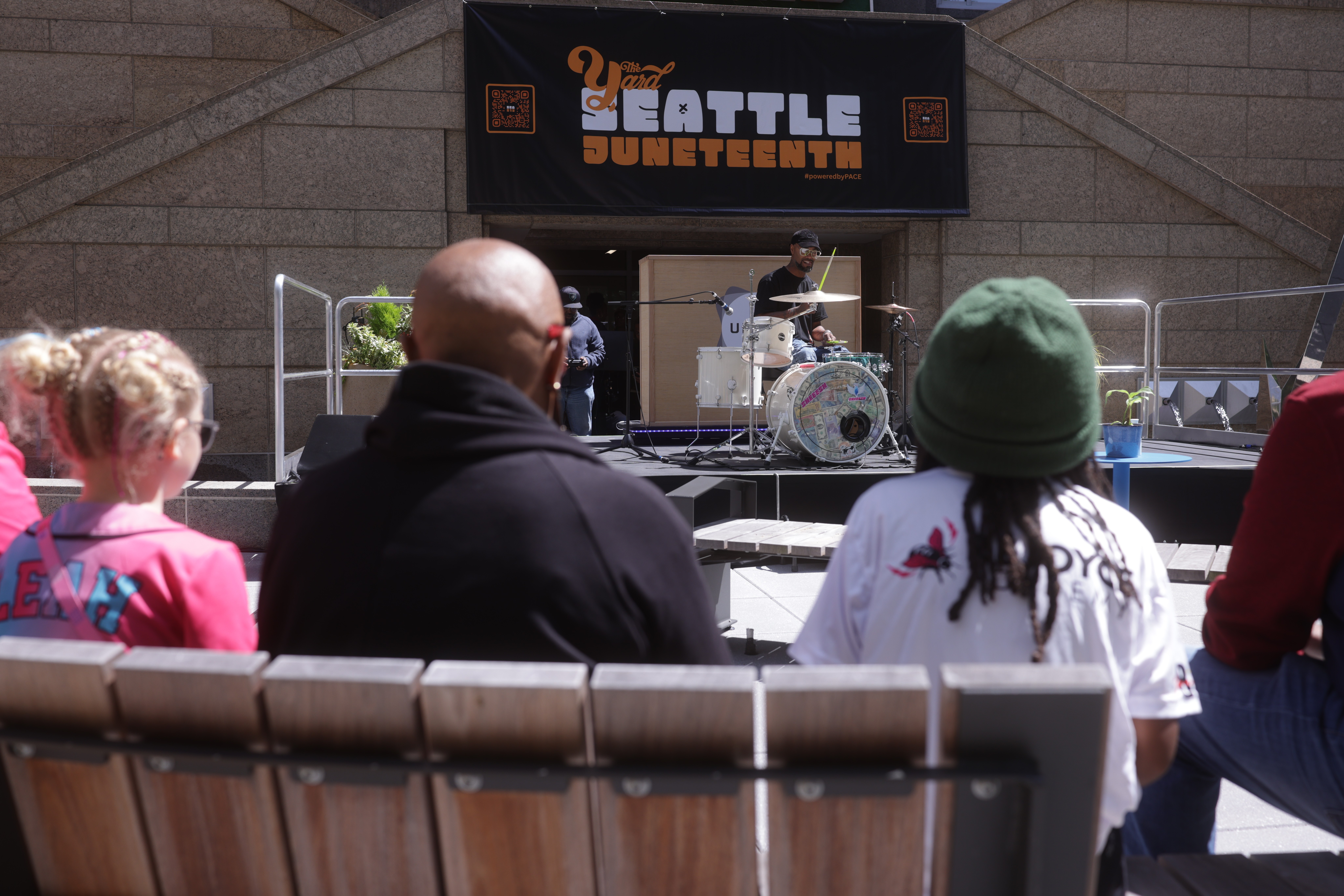
You do not need to own gear, master every publishing setting, or have a perfect workflow to start. You need a place to begin and people who have done it before. The Union has been an on-ramp for Seattle creators since opening its doors on Juneteenth 2018, and members like Jolyn GC record their podcasts (in her case, Wealth Rituals) at The Union.
If you want a focused place to write and publish, the CoWorking Hybrid Worker membership ($100/month, $50 sign-up fee, 3-month commitment) adds drop-in coworking and bookable meeting and creative space. If you are ready to record and publish under one roof, the CoCreate Podcast membership ($300/month, $100 sign-up fee, 2-month commitment) adds the Media Lab for DIY and full-service productions. CoCreate currently has a waitlist of about one month, so it is worth applying early, and you can book the studio as a guest in the meantime.
Email contact@theunion.io, call 206-551-0964, book the studio as a guest, or apply for membership. Bring your episode and your empty description box. We will help you fill it.
The full series
This is Part 15 of 24 in Starting a Podcast at The Union (Post-Production stage). Previous: Part 14, Make Every Voice Sound Right: Mixing and Mastering Basics. Next: Part 16, Episode Artwork That Still Looks Great on a Tiny Phone Screen.