Podcasting
·
Oct 15, 2026
Batch Your Episodes and Bring in Help to Keep Your Schedule Sane

Arif Gursel
Founder

By the time our example creator, Tasha, finished adding transcripts and captions to her first episodes, she had a show she was proud of and a calendar she was not. Tasha, our illustrative creator for this series, is a middle school science teacher in Rainier Valley building a podcast for parents of curious kids. Each episode answers one real question a kid asked: why the sky turns orange at sunset, whether fish sleep, why your own voice sounds strange on a recording. The episodes were working. The schedule was not. Every Sunday disappeared into editing, cover art, and show notes, and she had a stack of lab reports waiting on Monday.
This is the moment many new podcasters quit. The show is good, the audience is growing slowly, and the weekly grind starts to feel like a second job with no paycheck. The fix is rarely "work harder." It is two habits that professional shows rely on: batching (doing similar tasks in blocks) and collaboration (handing specific pieces to other people). This part walks you through both, with a focus on the question Tasha kept asking herself: how do I get help without my show starting to sound like someone else's?
Why batching is how part-time podcasters keep going
Every task in podcasting carries a setup cost. Before you record, you set up the room, check levels, warm up your voice, and get into host mode. Before you edit, you open the project, remember where you left off, and find your rhythm. If you pay that setup cost once per episode, you pay it constantly. If you pay it once per four episodes, you get a lot of your week back.
Batching means grouping the same kind of work together:
Recording batch: record three to five episodes in one session.
Editing batch: rough-cut all of them in one sitting, then fine-tune in another.
Asset batch: write all show notes, pull all quotes, and design all episode graphics at once.
Publishing batch: schedule every episode in your hosting platform so they release automatically on your chosen day.
For a weekly show, a four-episode batch gives you a month of breathing room. For a biweekly show, it covers two months. Tasha mapped her batches to the school calendar: one recording session the weekend before each grading period got heavy, so the show kept publishing while her attention went to her students.
How much time are we really talking about?
Editing time varies a lot depending on how polished you want the episode, how clean the recording was, and how experienced you are. A common rule of thumb for a simple conversational edit is two to four hours of work per hour of finished audio, and heavily produced shows with music, sound design, and narration can take much longer. Treat those numbers as a starting point and time yourself for two or three episodes to find your real ratio. That number is what tells you whether to delegate.
Planning a batch: the four-episode block
A good batch starts before you walk into the studio. Tasha's process looked like this:
Pick the questions. She pulled four kid questions from her running list and grouped them loosely by theme (two about animals, two about light and color) so her research overlapped.
Write four outlines in one sitting. Each outline followed the same format she had built in the Content Strategy stage: the kid's question, a quick hook, the simple answer, the "but wait, there's more" layer, a try-it-at-home activity, and a sign-off.
Load the outlines onto one run-of-show. One document with all four episodes in order, so she could move from one to the next without hunting for notes.
Confirm any guests early. Her "do fish sleep?" episode featured an illustrative guest, a marine biology grad student, so Tasha booked that slot first and built the rest of the session around it.
The Union's producers do this same kind of prep for full-service sessions: they align on premise and audience, prepare a run-of-show, confirm guest logistics, test remote links, and set the room before anyone sits down. If you have never planned a multi-episode session, a strategy conversation with the team can save you the trial and error of finding out on recording day that you scheduled too much.
Recording your batch at The Union
Batch recording is where studio infrastructure starts paying for itself. When you record four episodes back to back, you want everything to stay consistent: the same sound, the same look, the same energy. You also want to avoid spending forty minutes rebuilding the room between segments.
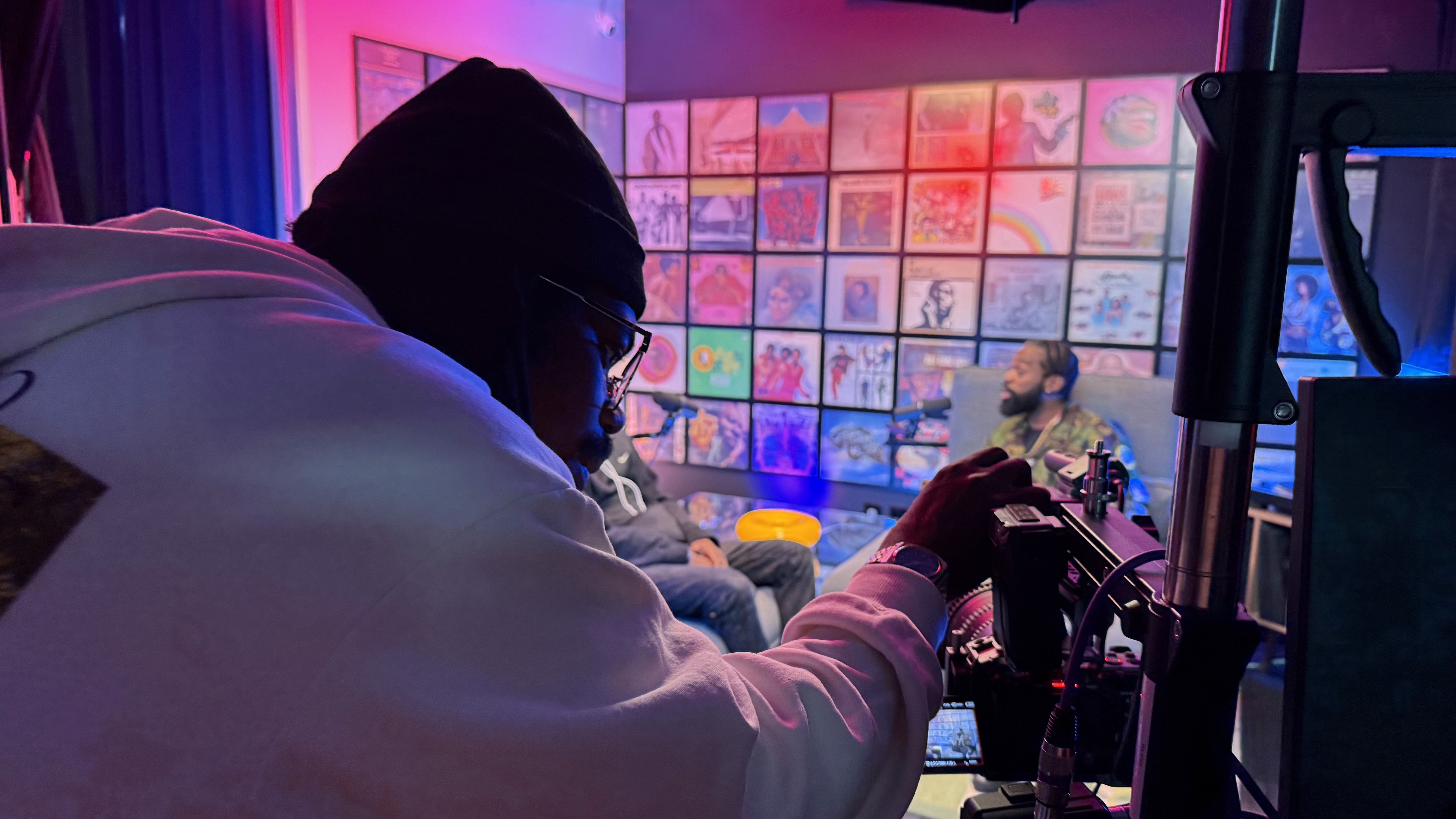
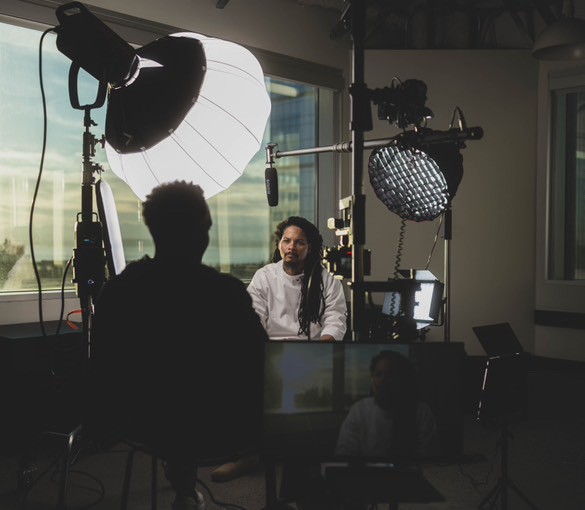
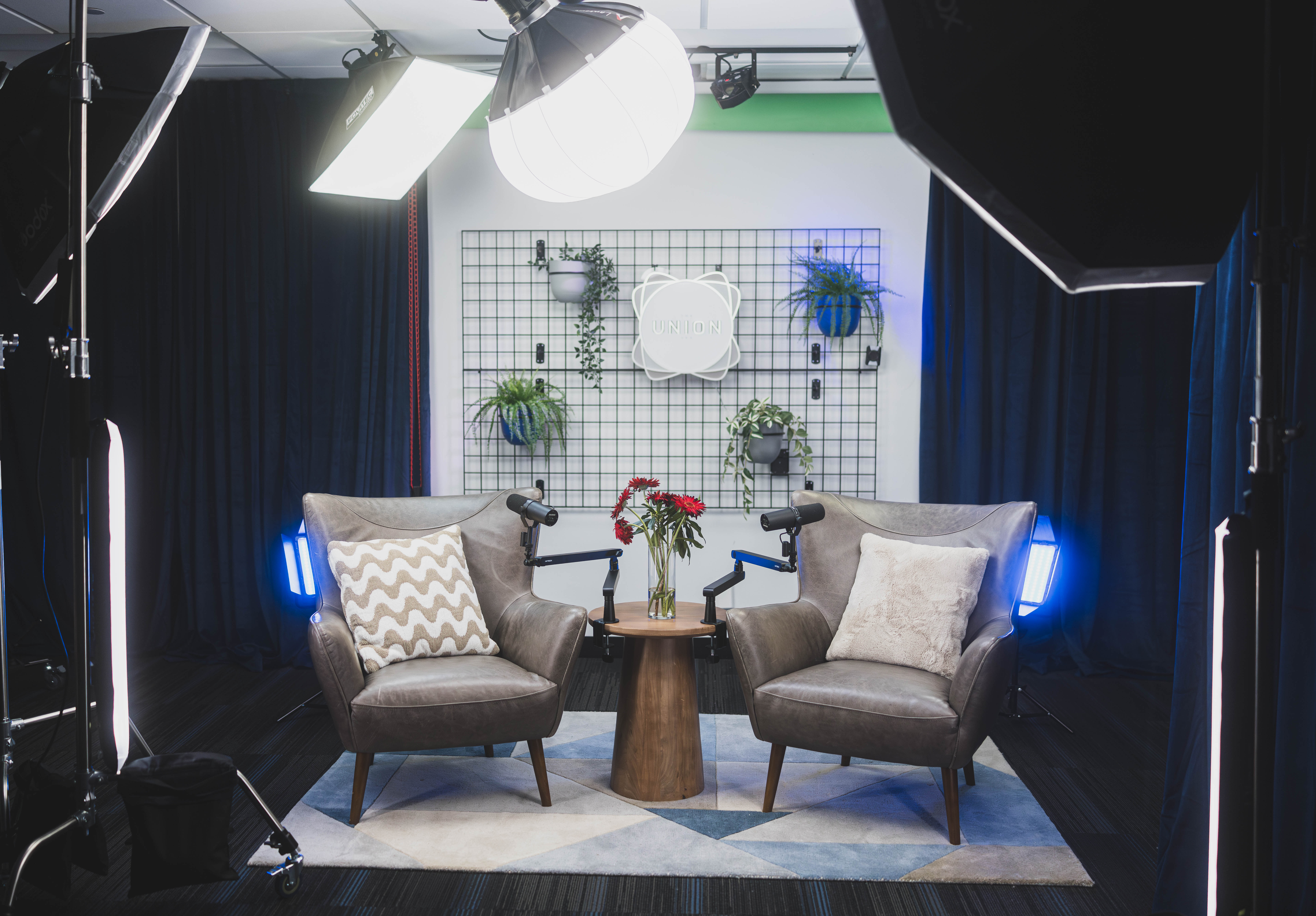
The Union's two production studios, the Blue Room ("Blue Pill") and the Red Room ("Red Pill"), are built around modular sets and color backdrops that can switch from a talking head to a panel without a long reset. For Tasha, that meant she could record her solo episodes on one set and move her guest conversation to another without the session falling apart. A few ways sets fit batching:
Blue Pill sets, including Blue Room Central, The Stage, The Stage 2, The Cove, The Grid, and Afro Detox, give you options; picking one set as a consistent "home base" for the batch helps every episode look like it belongs to the same show.
Red Pill sets, including Lip Sync, QT's Corner, Talk Show, and The Cypher, are in the studio built for larger setups and visual storytelling, which can be useful if you also publish a video version.
The teleprompter screen lets you keep host notes in front of you, which helps a lot when you are on episode three and your brain is starting to blur the outlines together.
You can explore the options on The Union's spaces page, but honestly, a studio walkthrough is the faster way to figure out which set matches your show. Seeing them in person makes it much easier to picture your batch day.
Batch-day tips that protect your voice
Bring water and skip dairy right before recording if it affects your voice.
Take a ten-minute break between episodes. Stand up, walk, reset.
Re-read the next outline out loud once before you start recording it.
Record a ten-second "room tone" clip of silence at the start of the session. Your editor will thank you.
Keep a notes sheet: write down timestamps of flubs or great moments as they happen.
What to delegate first, and what to keep
Not every task is equally personal. Some tasks carry your voice and judgment. Others are craft skills that a capable person can do well with clear direction. The trick is sorting them honestly.
Good first tasks to hand off
Technical audio cleanup: noise reduction, leveling, loudness normalization, removing long pauses.
Video cuts and short clips: trimming, adding captions, formatting for vertical platforms.
Graphics: episode art and thumbnails built from a template you approve.
Draft show notes: a first pass from the transcript you built in Part 17.
Tasks to keep, at least for now
Story choices: which tangent stays and which goes. Your editor can suggest; you decide.
The final listen: you hear every episode before it publishes.
Your opening and closing words: the parts of the episode that most clearly say "this is my show."
Guest relationships: people agreed to talk to you, so the thank-you notes come from you.
Tasha started by handing off audio cleanup and thumbnails. She kept the content edit herself for the first two batches. Once she trusted the process, she let her editor do a full first cut and reserved her own time for a single review pass. That gradual handoff is the healthiest path for most creators.
Write your voice down before you hand it off
The biggest fear in delegation is losing your voice. The best protection is a short document that explains what your show sounds like, so a collaborator does not have to guess. Some people call it a style guide or a show bible. Keep it to two pages at first.
Tasha's guide included:
Who the show is for: parents of kids roughly 7 to 13 who want to keep their kids curious, often listening in the car with the kids.
Tone: warm, playful, accurate. No talking down to kids, no jargon left unexplained.
Keep: her laugh, the "okay, here's the cool part" transition, and any moment where she admits she was wrong about something.
Cut: repeated sentences, filler that slows the pace, and any tangent longer than about a minute that does not connect to the question.
Never cut: the kid's original question (usually read aloud at the top) and the try-it-at-home activity.
Target length: 18 to 25 minutes.
Sound standards: intro music length, outro music, where ad markers go if she ever brings in sponsors.
Visual standards: brand colors, fonts, how her photo should be cropped on thumbnails.
Two reference episodes: "If in doubt, make it sound like these."
That last item is the most powerful. Pick the two episodes you love most and tell your team to use them as the benchmark. Examples teach faster than adjectives.
Building a small production team in Seattle
You do not need a big team. Most independent podcasts run well with three roles, sometimes covered by two people:
Editor: handles audio and, if you publish video, the main cut.
Designer: builds your thumbnail and episode art templates, then fills them in each batch.
Notes and clips writer: turns transcripts into show notes, pull-quotes, and short social captions.
Where to find collaborators
This is where being part of a creative community changes everything. The Union is a shared space for local entrepreneurs, artists, educators, and creators, and the people working down the hall are often exactly the skills you need. Its workshops, community programming, and events are natural places to meet an editor who already understands podcast workflows or a designer who works in a style you like. The community is rooted in cooperative economics, which means people tend to think in terms of building together.
Imagine Tasha meets an editor at a community event; call him Dev, an illustrative example. He edits a couple of other shows, he has seen how her studio sessions are set up, and he can use the same pre/post-production room for editing when he wants to work on site. That shared context removes a lot of friction.
If you would rather skip the hiring process entirely, The Union's team offers full-service post-production through its services: mixed audio, a clean video cut, short captioned clips, thumbnails, pull-quotes, show notes and publishing copy, and sponsor-ready ad markers when partners are in scope. Some creators use that as their whole team; others mix it with their own collaborators. A short conversation with the producers will tell you which setup fits your budget and schedule.
A note on paying people
Freelance rates for podcast editing and design vary widely by region, experience, and scope, and they change over time, so research current local rates rather than trusting any single number online. Whatever you agree on, put it in writing: what is delivered, by when, how many revision rounds, the price, and who owns the final files. You should own your episodes, project files, and artwork. Also confirm that any music or sound effects your editor adds are properly licensed for podcast use.
The handoff system: files, feedback, and deadlines
Collaboration fails most often in the gaps: lost files, vague notes, unclear deadlines. A simple system prevents nearly all of it.
The Union's media lab is set up for this kind of teamwork. Dedicated fiber internet and integrated Blackmagic Cloud Storage support rapid file transfers and real-time collaboration, and cloud sync keeps a remote editor in the loop. In practice, that means Dev does not have to wait for Tasha to upload gigabytes of footage from her kitchen table. The files can be moving while she is still wrapping up her session, and fiber means footage can be reviewed while you are still on set if something needs a retake.
Here is the handoff checklist Tasha used for every batch:
Name files consistently. Use a pattern like ShowName_Ep014_FishSleep_Raw_2026-11-02. Date, episode number, short title, and status every time.
Use one shared folder per episode with the same subfolders: Raw, Edit, Assets, Final.
Include the notes sheet from recording day with timestamps of flubs and highlights.
Attach the transcript from Part 17 so the notes writer and editor work from the same text.
Set two deadlines: first draft due, and final due. Leave at least a few days between them.
Give feedback with timestamps. "At 12:40, cut the story about my cousin; keep 13:15 onward" beats "tighten the middle."
Limit revisions to two rounds. If you need a third, your style guide is missing something. Update it.
Do the final listen yourself before anything is scheduled.
Schedule all episodes in the batch at once in your hosting platform.
Hold a 15-minute debrief after each batch: what worked, what to change next time.
For that debrief, a quiet room helps. Members can use the office spaces and meeting rooms on the 20th floor, which are first come, first served for calls and small group meetings. A short in-person check-in builds the trust that makes delegation work.
Common mistakes when you start batching and delegating
Batching too big, too soon. Ten episodes in one day sounds efficient until episode seven sounds exhausted. Start with three or four.
Handing off without a style guide. Your editor will make reasonable choices, but they will be their choices.
Vague feedback. "It feels off" gives no one anything to act on. Use timestamps and reference episodes.
Delegating everything at once. Hand off one task, get it working, then add another.
Batching only the recording. If you record four episodes but still do notes and art one at a time, you have kept most of the grind.
Losing timeliness. Batched episodes can go stale. Keep evergreen topics in batches and leave a slot open for anything time-sensitive.
Skipping the paper trail. A friendly handshake is not a file-ownership agreement.
Tasha's one stumble: in her first batch she recorded a "why do leaves change color?" episode in August, then scheduled it for late spring. The fix was simple. She now tags each outline as "evergreen" or "seasonal" during planning and schedules accordingly.
Do this this week
Spend about two hours on these steps and you will have the foundation for your first batch and your first collaborator:
Time one task. Track exactly how long your next edit takes from opening the file to exporting.
Pick four topics for your next batch and tag each as evergreen or seasonal.
Draft a one-page style guide with your audience, tone, keep list, cut list, and two reference episodes.
Set up your folder structure and file naming pattern.
Choose one task to delegate first, and write down what "done well" looks like for that task.
Talk to one person about collaborating, whether that is a fellow creator or The Union's production team.
Coming up next
Your episodes are now edited, polished, and lined up in a batch. In Part 19, Hosting and RSS Explained, we open the Distribution stage and demystify how a podcast host and an RSS feed get your show onto Apple Podcasts, Spotify, and everywhere else people listen.
Start your story at The Union
You do not need to own a studio, know every editing shortcut, or have a team lined up to start working like a real production. The Union exists as part of Seattle's creative infrastructure so that teachers like Tasha, and creators like you, can step in, record a full batch, and find collaborators along the way. Real members are already doing it: Jolyn GC records her podcast Wealth Rituals at The Union.
If you are ready to batch your next season, you can book the studio as a guest by appointment, weekdays from 9 AM to 5 PM. If you want ongoing access to the media lab for DIY and full-service productions, apply for membership. The CoCreate Podcast membership is $300 per month with a $100 sign-up fee and a two-month commitment, and it currently has a waitlist of about one month, so applying early helps. Not sure which path fits? Email contact@theunion.io or call 206-551-0964 to ask for a studio walkthrough or a conversation with the production team. Bring your outline, your questions, and your schedule. They will help you build the workflow that keeps your show going.
The full series
This is Part 18 of 24 in Starting a Podcast at The Union (Post-Production stage). Previous: Part 17, Transcripts and Captions Make Your Podcast Open to Every Listener. Next: Part 19, Podcast Hosting and RSS Feeds Explained in Plain English.